 ShotJar
The screenshot thumbnail disappeared. Where did the file go?
The corner preview only stays on screen briefly. When it disappears, check your screenshot save location for the file.
The preview is temporary. The file is saved.
The thumbnail in the bottom-right corner is there so you can drag, mark up or share the screenshot straight away. macOS saves the file to your save location once the thumbnail goes away. So a preview that vanished usually means the file was just saved.
Find the saved screenshot
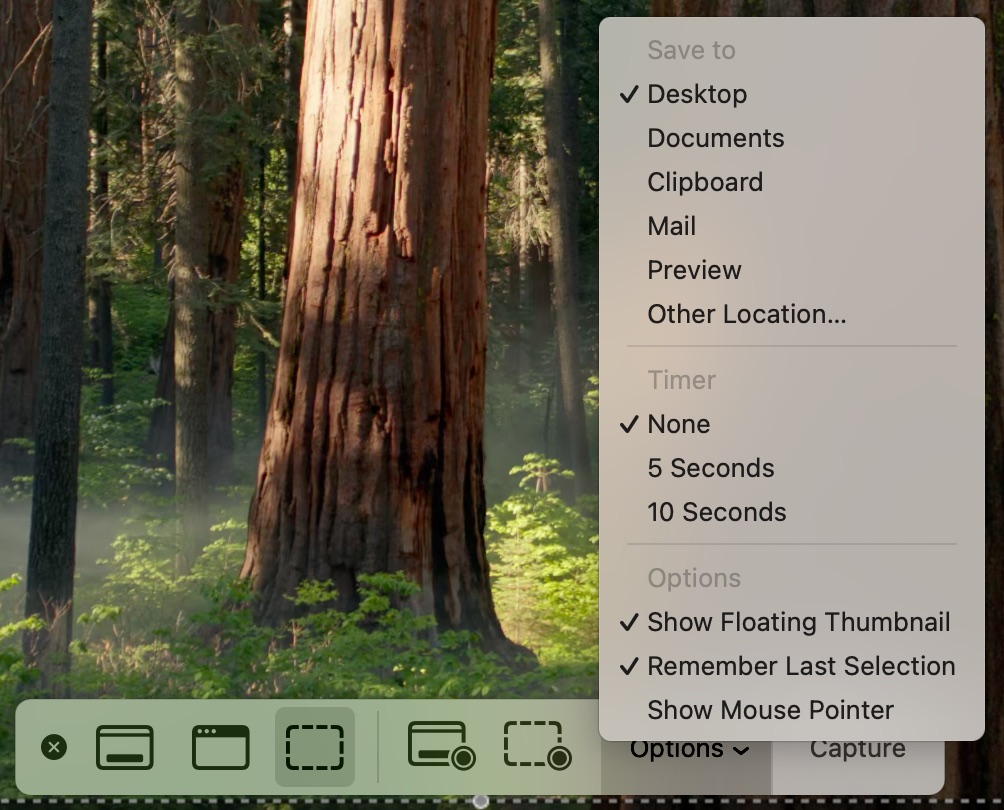
Press Shift-Command-5 and open Options. Check where screenshots are saved, then look there in Finder. The checked item under Save to is the location. It is the Desktop unless someone changed it.
Turn the preview on for future captures
If future captures don't show a preview, enable Show Floating Thumbnail in that menu. A checkmark next to it means it is on.
If you want more time with the preview, hold the pointer over it. It stays on screen until you act on it or move the pointer away.
If you saved it to the Clipboard
If you saved the image to the Clipboard, paste it into an app instead of looking for a file.
That happens when you hold Control along with the screenshot shortcut, or when you Control-click the preview and choose Save to Clipboard.
Source: Apple, checked 10 Nov 2026. Take a screenshot on Mac and Take screenshots or screen recordings on Mac.
Where ShotJar fits
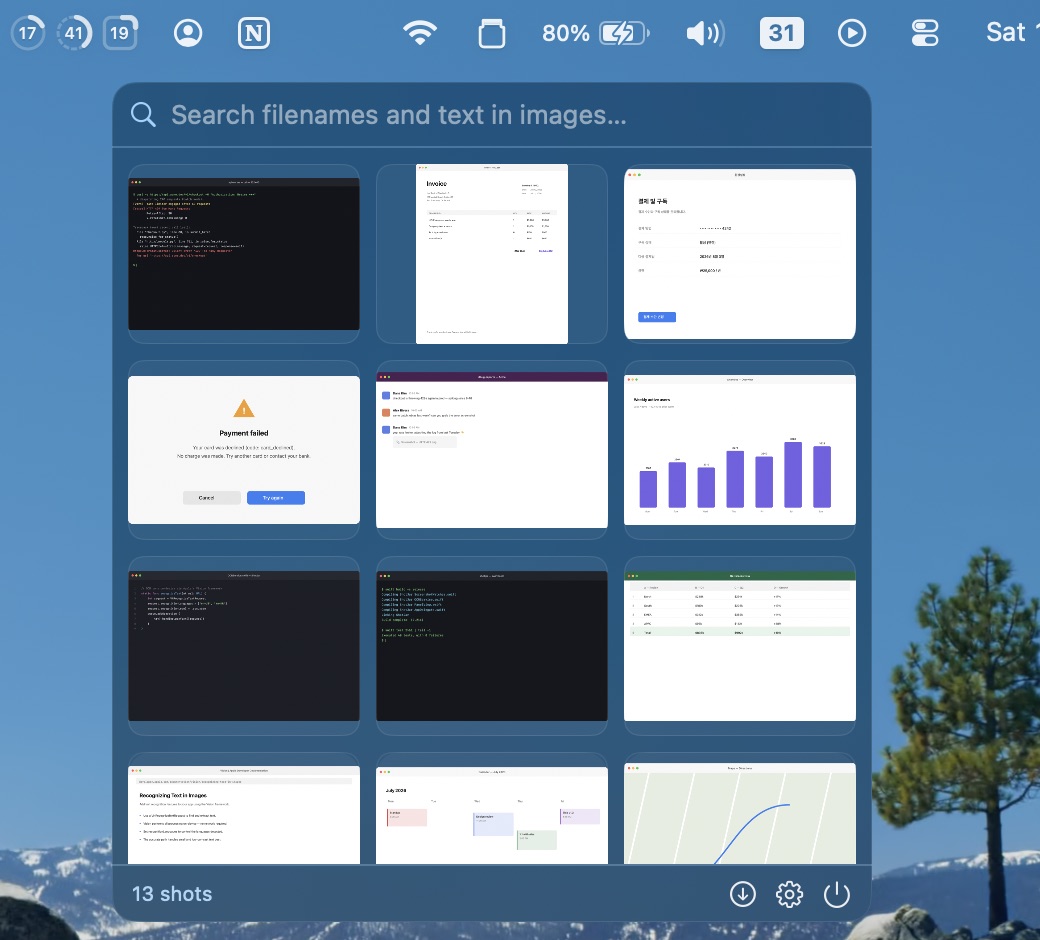
If you keep missing that preview, ShotJar gives you another place to grab the screenshot. Click its menu-bar icon, find the recent image and drag it into the app you're using.
ShotJar watches your screenshot folder. It doesn't extend Apple's floating thumbnail or change how you take a screenshot. It works alongside the macOS shortcuts, CleanShot X or Shottr, and it doesn't take screenshots itself.
The shelf holds recent screenshots from watched folders, the latest 60 by default and anywhere from 10 to 200 in Settings. It doesn't recover deleted files. You can also search the shelf by the text inside a screenshot, and that search runs on your Mac.
macOS 14 or later·No credit card required
Questions
Does a disappearing preview mean the screenshot was deleted?
No. Check your screenshot save location, or paste from the Clipboard if you saved it there.
Can I bring the same floating preview back?
This guide helps you find the saved file. It doesn't bring that preview back.
Will Show Floating Thumbnail keep screenshots on screen forever?
No. It turns on the temporary preview for future captures.